
이전에는 트위터로 알려졌던 X는 짧은 동영상 클립, 속보, 스포츠 하이라이트, 밈, 튜토리얼, 엔터테인먼트 등 다양한 유형의 비디오 콘텐츠로 가득합니다. X에서 동영상을 시청하는 것은 쉽지만, 오프라인 시청을 위해 저장하는 것은 다소 복잡할 수 있습니다.
바로 이럴 때 X 다운로더가 유용합니다. 이러한 도구를 사용하면 공개적으로 접근 가능한 X 동영상을 컴퓨터나 모바일 기기에 저장할 수 있습니다. 이 가이드에서는 각 카테고리별로 인기 있는 X 동영상 다운로더 몇 가지를 살펴보고, 사용 방법을 설명하며, 각각의 장점과 한계를 비교해 보겠습니다.
1. X 비디오 다운로드를 위한 최고의 데스크톱 XDownloader – Meget
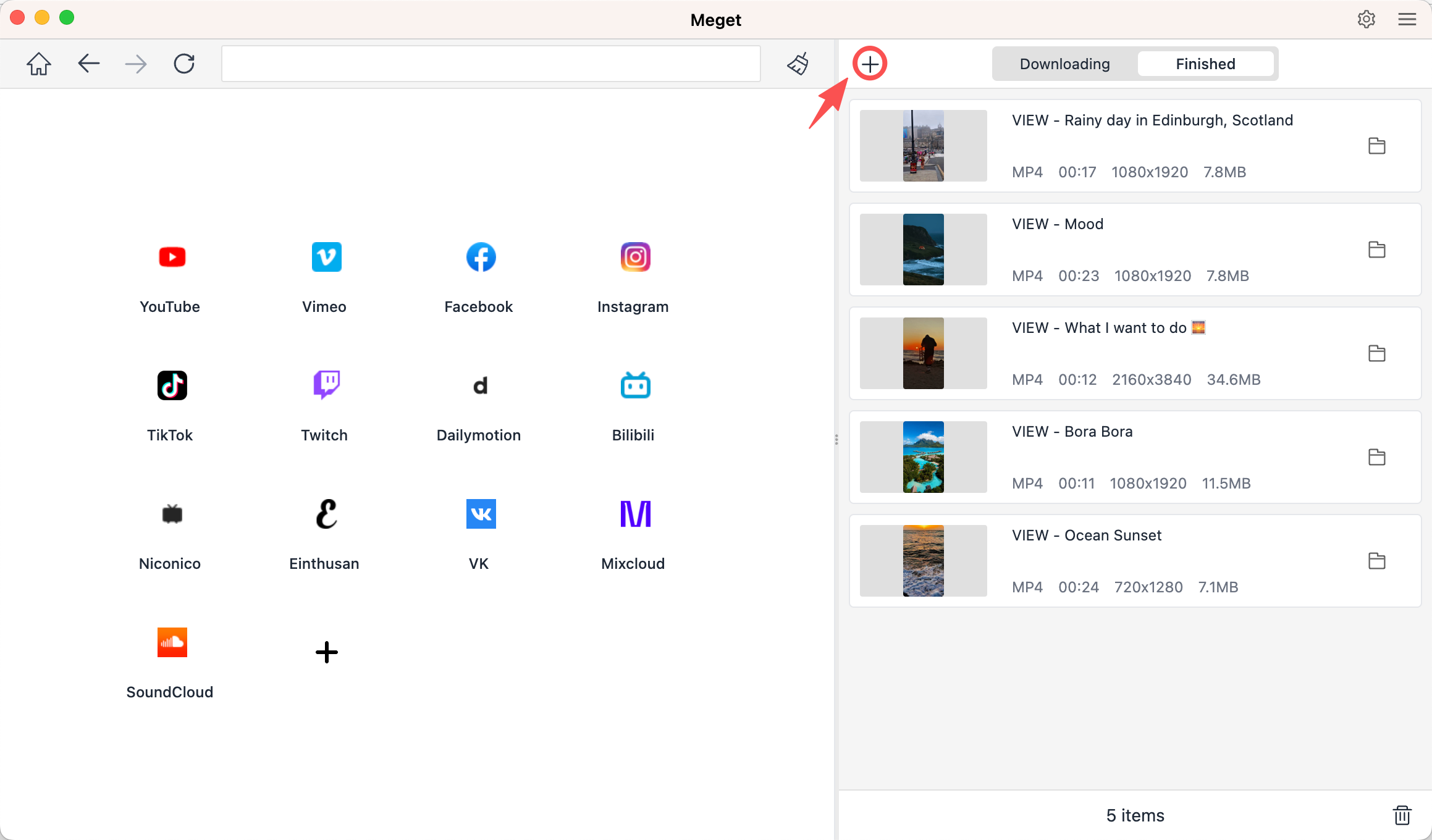
동영상을 정기적으로 다운로드하는 사용자에게는 브라우저 기반 도구보다 전용 데스크톱 소프트웨어가 더 편리한 경험을 제공할 수 있습니다. 매우 이 프로그램은 X를 비롯한 다양한 인기 웹사이트를 지원하는 데스크톱 비디오 다운로더 및 변환기입니다.
Meget은 컴퓨터에서 로컬로 실행되기 때문에 많은 기본 온라인 서비스보다 더 다양한 다운로드 제어 기능을 제공합니다. 특히 URL을 하나씩 처리하는 대신 여러 개의 비디오를 한 번에 다운로드해야 할 때 유용합니다.
Much의 주요 특징:
- X개의 동영상 다운로드를 지원합니다.
- 다수의 인기 동영상 웹사이트와 호환됩니다.
- 여러 개의 동영상을 효율적으로 다운로드하는 데 적합합니다.
- 다양한 화질 및 형식 옵션을 제공합니다.
- Windows 및 Mac에서 사용 가능합니다.
Meget으로 X개의 동영상을 다운로드하는 방법:
- Meget 애플리케이션을 Windows 또는 Mac 컴퓨터에 설치하세요.
- Meget을 열고 원하는 출력 형식, 품질 및 저장 위치를 설정하십시오.
- X 프로그램을 실행하고 다운로드하고 싶은 영상을 찾아서 링크를 복사하세요.
- Meget으로 돌아가서 "+"를 클릭하여 모든 링크를 붙여넣으세요. Meget이 모든 비디오를 다운로드 목록에 추가하고 다운로드를 시작합니다.
2. X 비디오를 다운로드할 수 있는 최고의 온라인 X다운로더
온라인 X다운로더는 소프트웨어를 설치하고 싶지 않을 때 좋은 선택입니다. 브라우저에서 웹사이트를 열고 X 비디오 URL을 붙여넣은 다음 파일을 다운로드하면 됩니다.
인기 선택:
- SSSTwitter.com
- X-다운로더닷컴
- SSSx.io
단계:
- X를 열고 동영상이 포함된 게시물을 찾은 다음, 공유를 클릭하고 게시물 링크를 복사하세요.
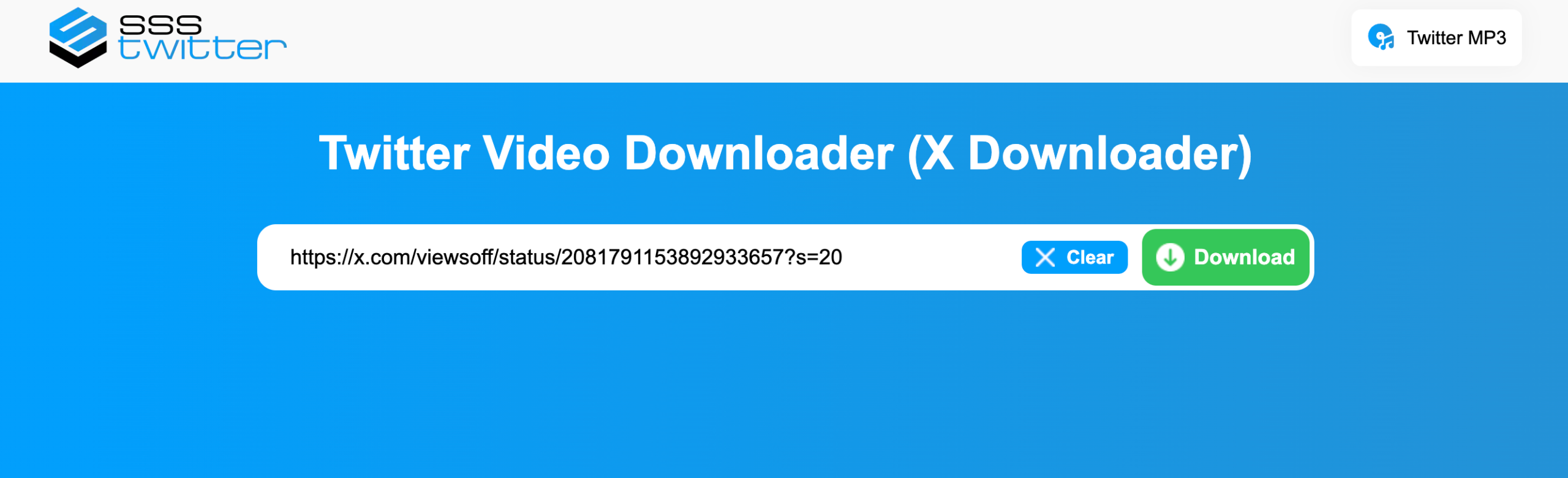
- SSSTwitter와 같은 온라인 XDownloader 사이트를 열고 X URL을 입력란에 붙여넣으세요.
- 다운로드 버튼을 클릭한 후, 원하는 비디오 화질을 선택하고 파일을 저장하세요.
장점:
- 설치가 필요하지 않습니다.
- 간단한 URL 기반 워크플로.
- 가끔씩 다운로드할 때 편리합니다.
단점:
- 광고가 포함될 수 있습니다.
- 다운로드 가능한 화질은 다를 수 있습니다.
- 온라인 서비스는 때때로 특정 링크에 대한 지원을 중단할 수 있습니다.
3. X 비디오 다운로드를 위한 최고의 XDownloader 확장 프로그램
브라우저 확장 프로그램은 다운로드 과정을 브라우저에 직접 통합하여 더욱 편리하게 다운로드할 수 있도록 해줍니다. 별도의 웹사이트 URL을 복사하는 대신, 확장 프로그램이 현재 웹페이지에서 이용 가능한 미디어를 감지할 수 있습니다.
인기 선택:
- 미디어 수확
- 비디오 다운로드 헬퍼
- 동영상 다운로더 – MPMux
단계:
- Video DownloadHelper와 같은 신뢰할 수 있는 브라우저 확장 프로그램을 설치하세요.
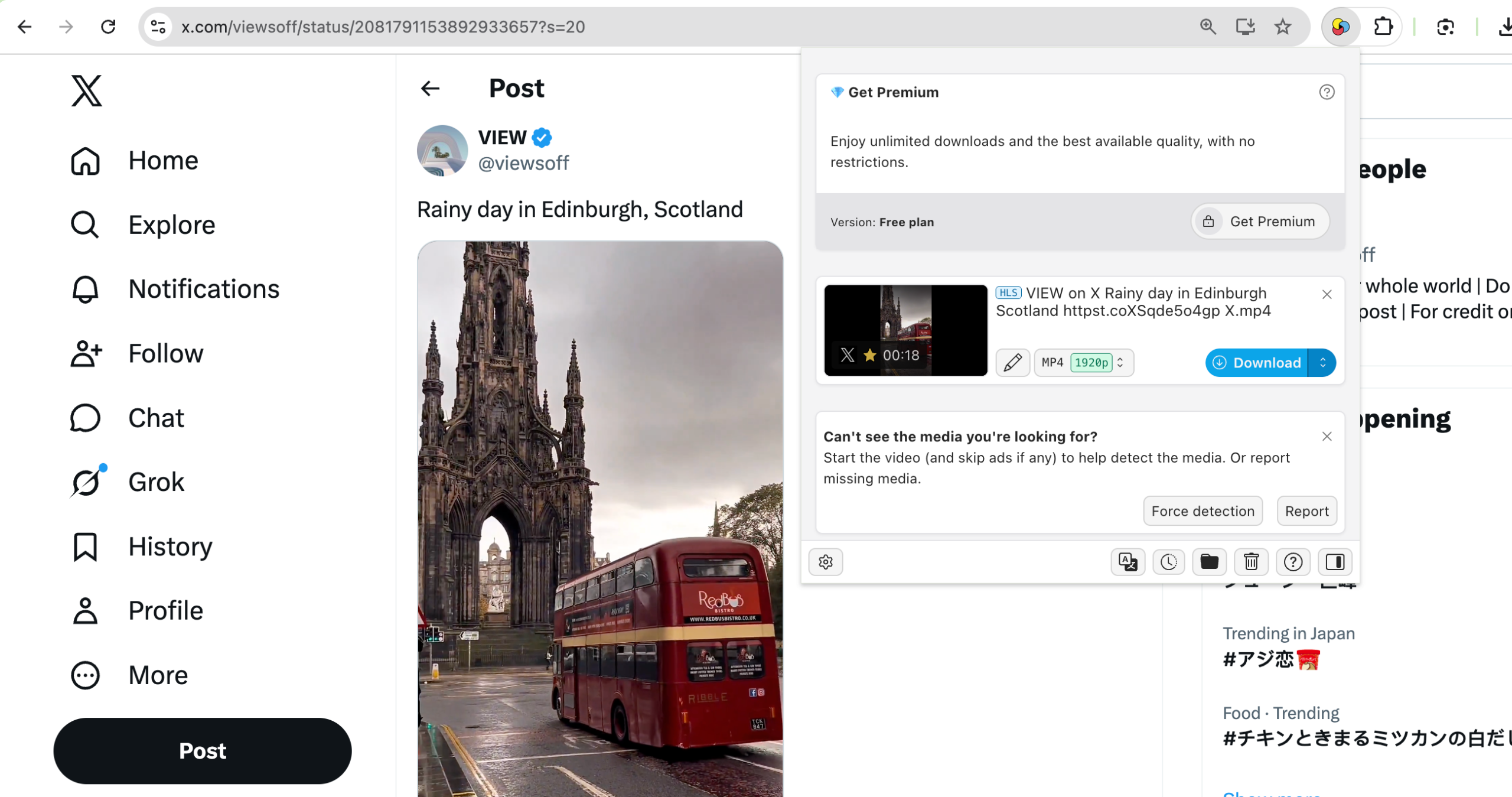
- 브라우저에서 X를 열고 동영상이 포함된 게시물로 이동한 다음, 필요한 경우 동영상을 재생하거나 로드하세요.
- Video DownloadHelper 확장 프로그램 아이콘을 클릭하여 미디어 파일을 감지하세요. 원하는 비디오를 선택하고 컴퓨터에 저장하세요.
장점:
- 쉽고 빠르게 사용할 수 있습니다.
- 별도의 소프트웨어가 필요하지 않습니다.
- 브라우저에서 바로 작동합니다.
- 가끔 다운로드하기에 편리합니다.
단점:
- 호환성 문제가 발생할 수 있습니다.
- 제한된 고급 기능
- 브라우저 또는 X 업데이트 후 작동이 중단될 수 있습니다.
- 일부 확장 프로그램은 광범위한 권한을 필요로 합니다.
4. X 비디오 다운로드를 위한 최고의 XDownloader 모바일 앱
X를 주로 휴대폰에서 사용한다면, URL을 컴퓨터로 전송하는 것보다 모바일 다운로더가 더 편리할 수 있습니다.
인기 선택:
- X 트위터 비디오 다운로더
- 비드주스 유니튜브
단계:
- 휴대폰에서 X 앱을 열고 저장하고 싶은 영상이 있는 게시물을 찾아 링크를 복사하세요.
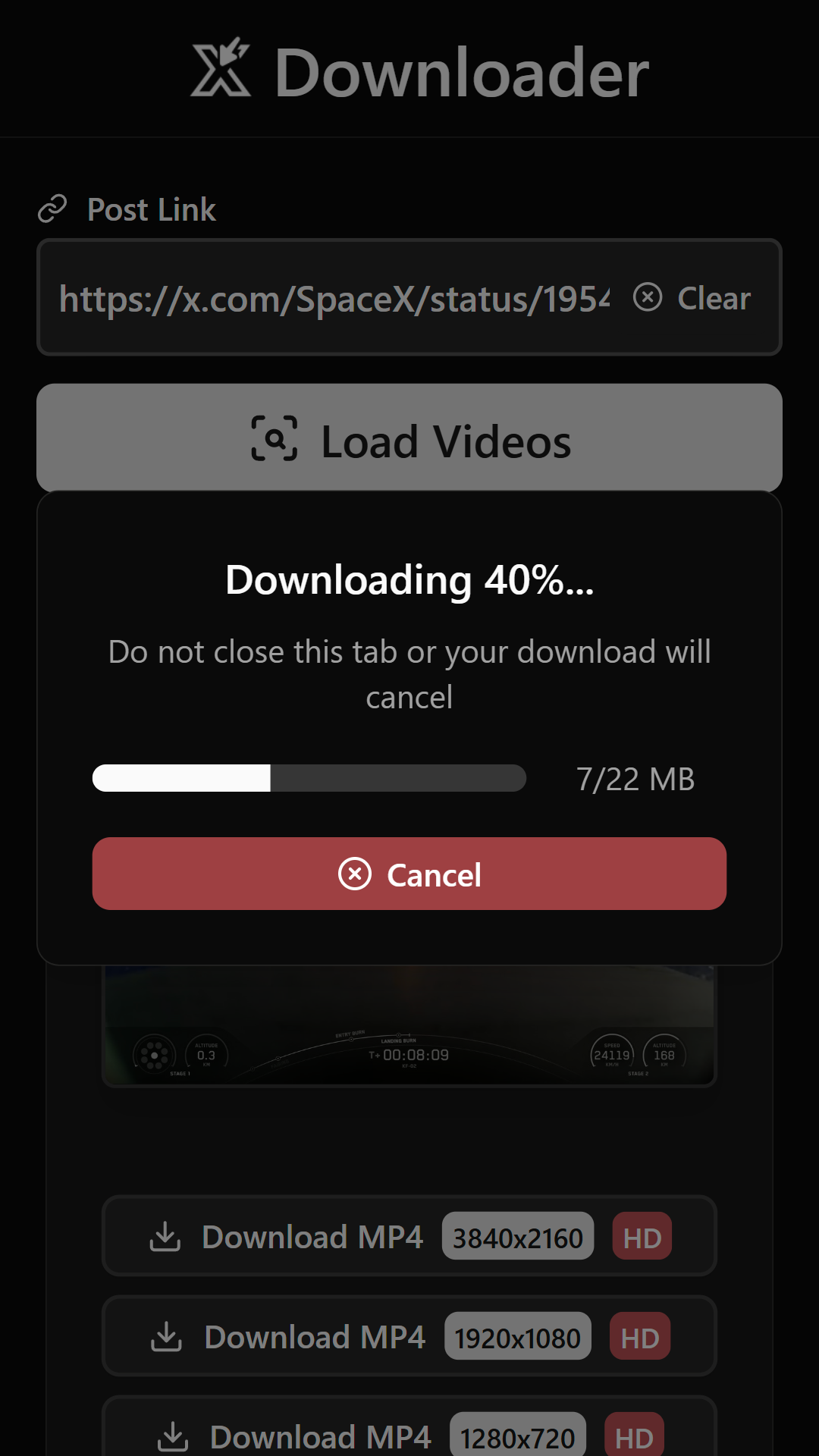
- X Twitter Video Downloader를 열고 복사한 URL을 해당 필드에 붙여넣은 다음 "동영상 불러오기"를 탭하세요.
- 안내 메시지가 나타나면 사용 가능한 비디오 화질을 선택하세요. 과정이 완료되면 기기의 다운로드 폴더 또는 갤러리를 확인하세요.
장점:
- 모바일에서 사용하기 쉽습니다.
- 이동 중에도 편리하게 동영상을 다운로드할 수 있습니다.
- 기기에 직접 저장하는 기능을 지원합니다.
- 일부 앱은 일괄 다운로드 및 다운로드 관리 기능을 제공합니다.
단점:
- 일부 앱은 기기에 대한 광범위한 권한을 요청합니다.
- 기기 간 호환성은 다를 수 있습니다.
- 동영상 감지가 간혹 실패할 수 있습니다.
5. 결론
X의 영상을 다운로드하는 방법은 다양합니다. SSSTwitter나 X-Downloader.com 같은 간단한 온라인 서비스부터 Media Harvest나 Video DownloadHelper 같은 브라우저 확장 프로그램까지 있습니다. 모바일 사용자라면 영상을 휴대전화에 직접 저장하고 싶을 때 X Twitter Video Downloader를 이용할 수도 있습니다.
하지만 X개의 동영상을 정기적으로 다운로드하는 사용자에게는 Meget이 추천할 만한 선택입니다. 데스크톱 기반 워크플로, 일괄 다운로드 기능, 다양한 형식 및 품질 옵션, 그리고 폭넓은 웹사이트 지원 덕분에 많은 기본 온라인 도구나 브라우저 확장 프로그램보다 활용도가 높습니다.
잦은 X개 동영상 다운로드를 관리할 수 있는 전용 솔루션을 원하신다면, 매우 실용적인 선택지이므로 시도해 볼 만하다.