
Downloading online videos for offline use has become increasingly common, whether for learning, entertainment, or content archiving. While many tools promise fast and easy downloads, not all of them deliver consistent performance or good value for money.
iFlyDown Video Downloader is one such tool that claims to provide a simple way to download videos across multiple platforms and devices, including Windows, Mac, and Android. But does it truly meet user expectations?
In this review, we’ll take a closer look at iFlyDown: what it is, how it works, its strengths and weaknesses, and why a more powerful alternative may be a smarter choice.
1. What Is iFlyDown Video Downloader?
iFlyDown Video Downloader is a cross-platform software designed to help users download videos from various online platforms directly to their devices. The software supports Windows, macOS, and Android, making it accessible to a wide range of users.
Key Features of iFlyDown:
- Supports downloading videos from 1,000 popular websites
- Offers format options like MP4 and MP3
- Allows selection of video quality (SD/HD/4K)
- Built-in feature to convert videos
- Simple and beginner-friendly interface
2. How to Use iFlyDown Video Downloader?
Using iFlyDown is relatively simple and follows a familiar workflow:
- Download iFlyDown from its official website and install it on your device.
- Visit the video platform you want to download inside iFLyDown, then play the video and click the download button.
- Select your preferred format (such as MP4 or MP3) and resolution, then confirm download and wait for the process to complete.
- Minitor the download process and find the downloaded videos when finished.

3. Pros and Cons of iFlyDown Video Downloader
✅ 장점
1) Cross-Platform Support
Works on Windows, macOS, and Android, making it flexible for different users.
2) Easy to Use
Beginner-friendly interface with a straightforward download process.
3) No Browser Dependency
As installed software, it avoids many browser-related issues.
4) Basic Format Options
Supports common formats like MP4 and MP3 for general use.
❌ 단점
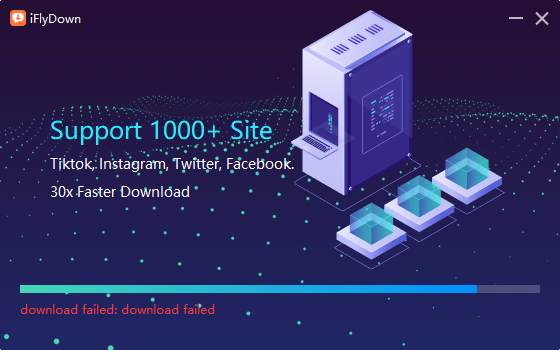
1) May Fail to Install
Some users may encounter issues during installation, which can prevent them from even getting started.
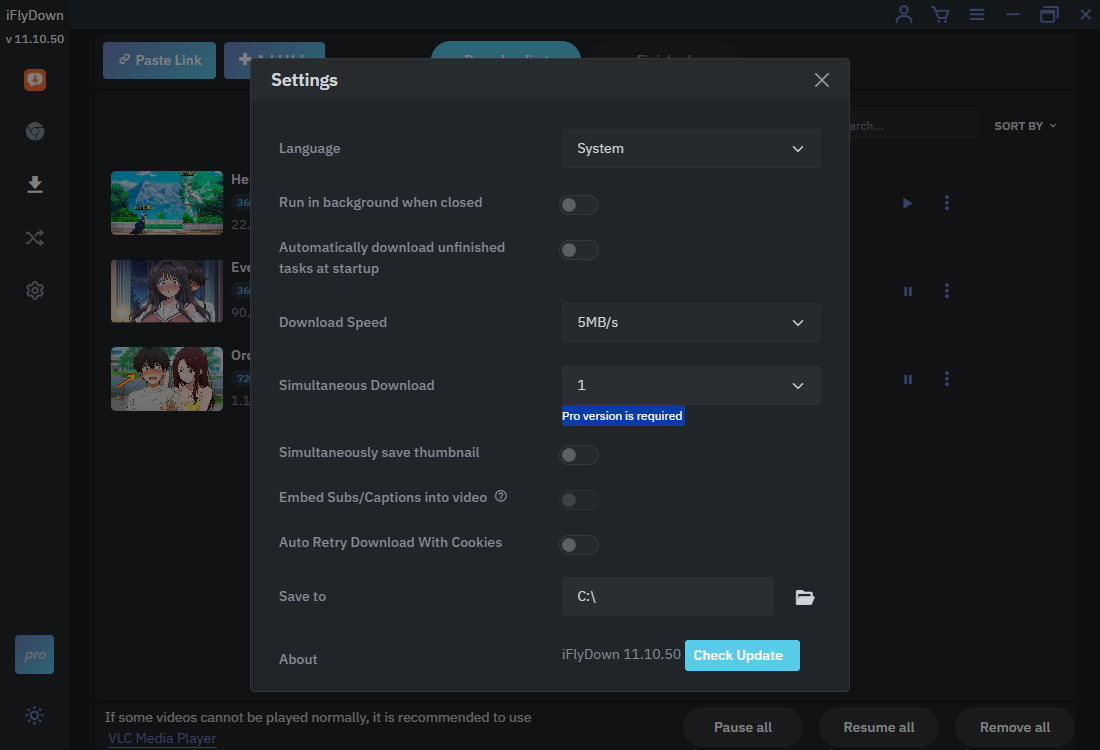
2) Very Limited Trial Version
The trial version is highly restricted (like the batch downloads is only available for Pro users), making it difficult to properly evaluate the software before purchasing.
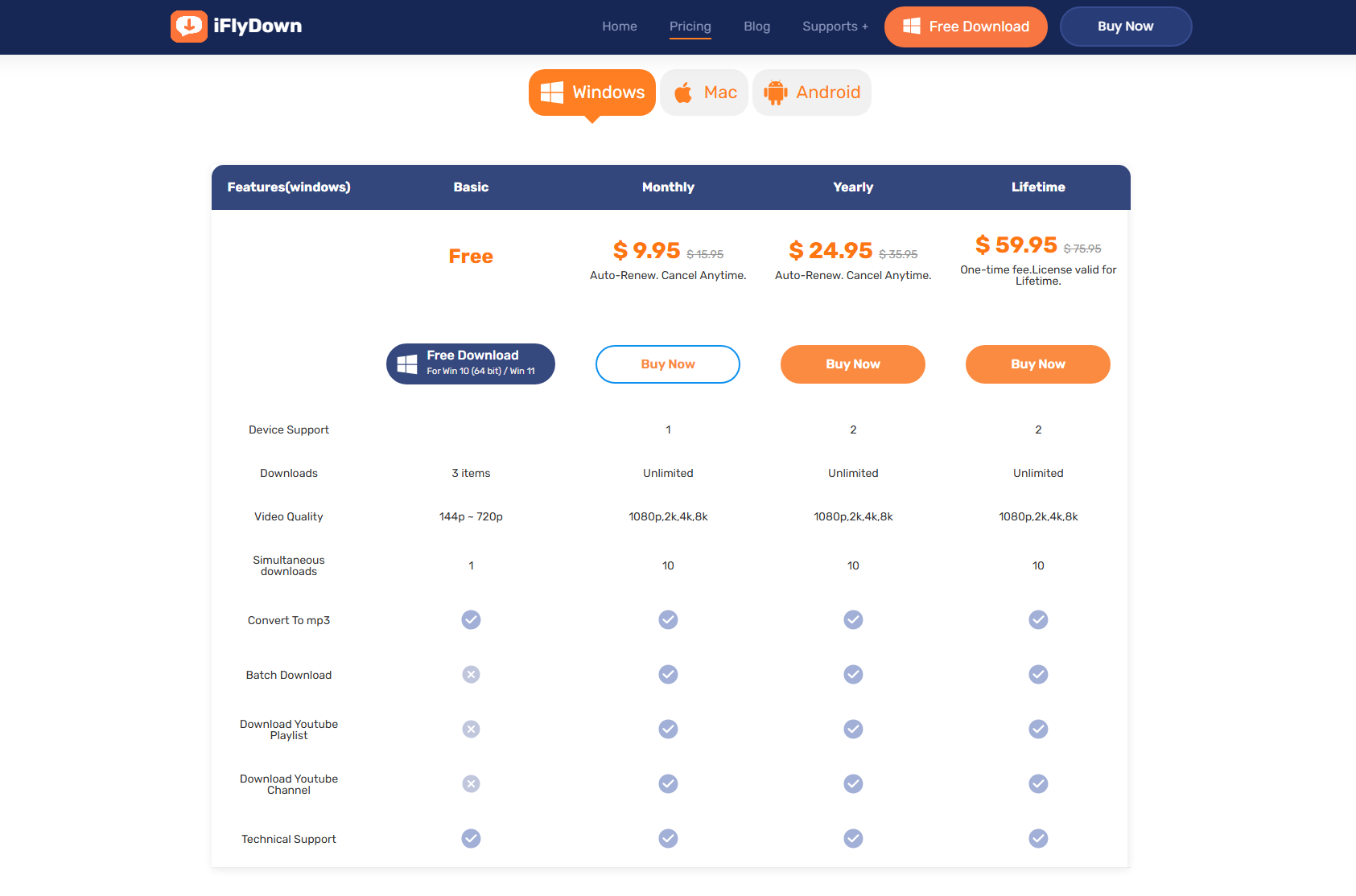
3) High Price
Compared to competitors, iFlyDown is relatively expensive considering its limited features.
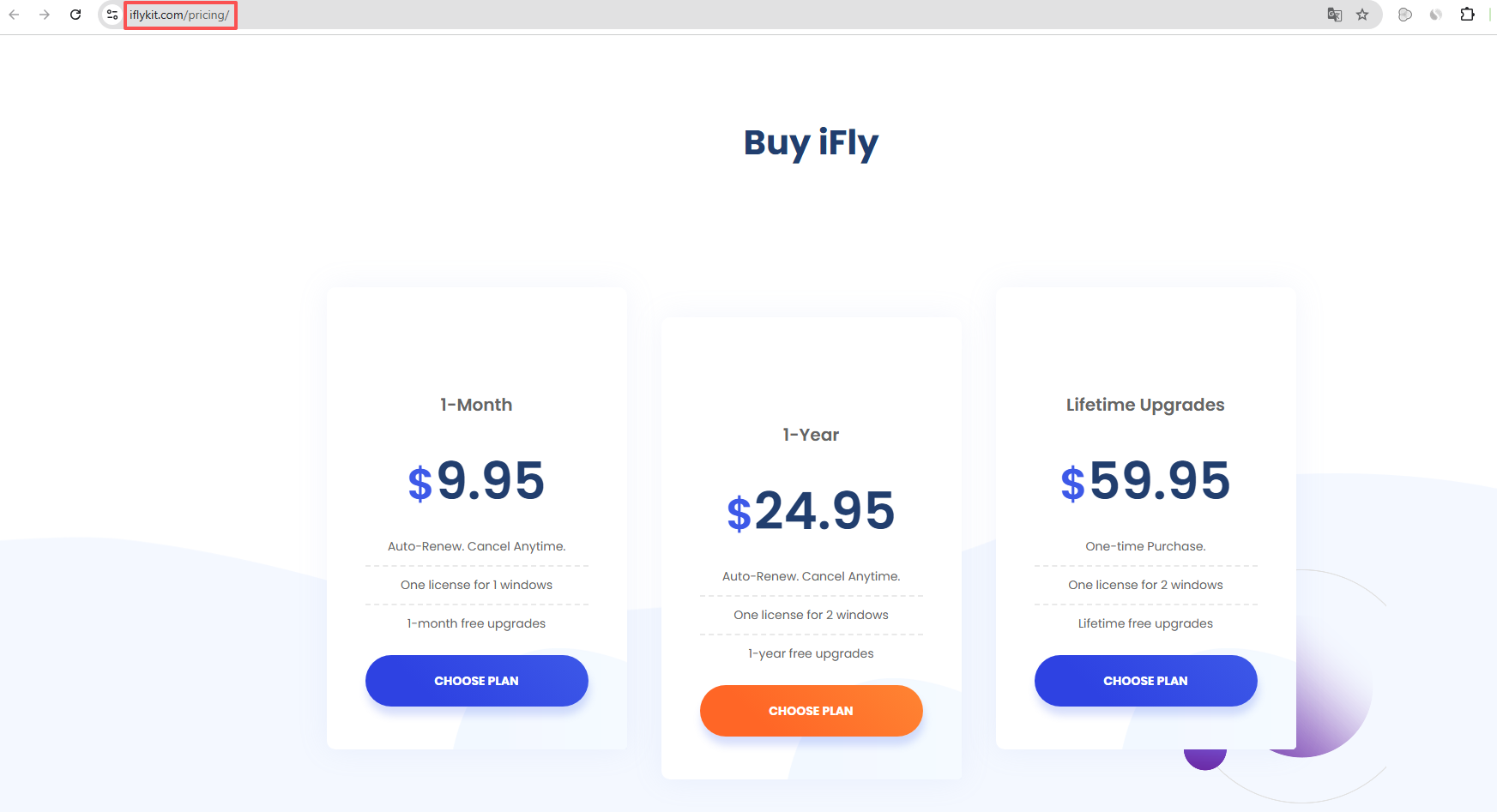
4) Different Domain for Payment
Users may be redirected to a separate domain when purchasing a license, which can raise concerns about transparency and trust.
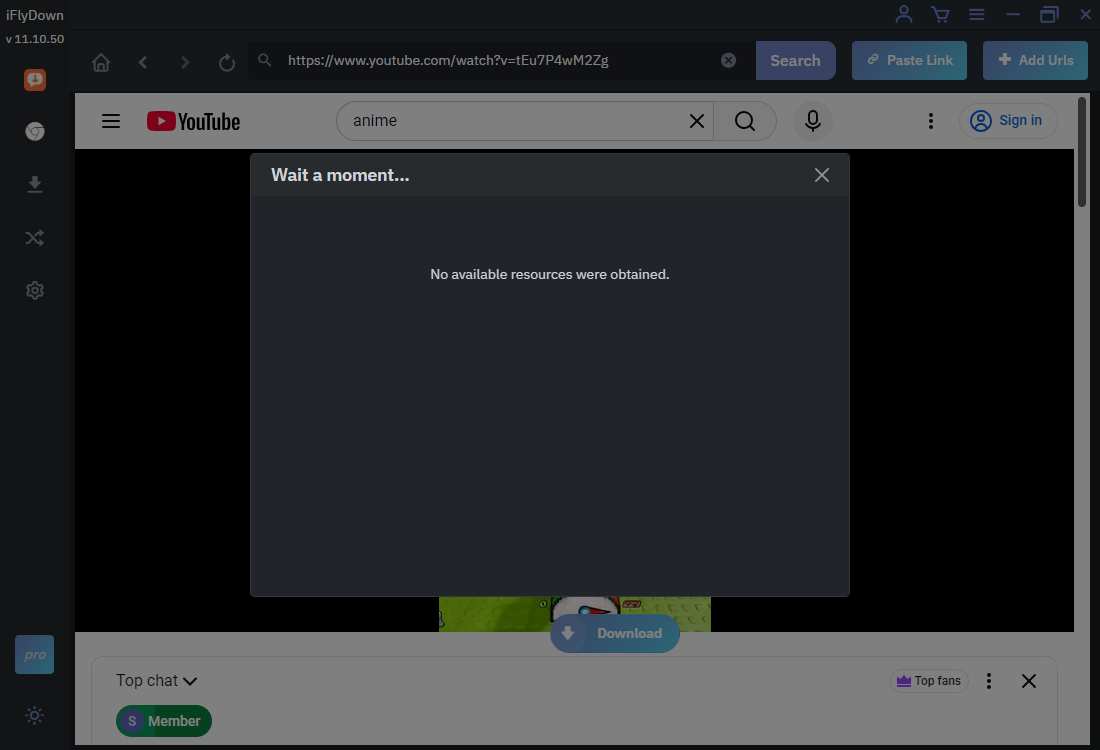
5) May Not Extract or Download Videos Properly
In some cases, iFlyDown struggles to analyze video links, resulting in failed downloads or inability to extract video data.
4. Try the Best Alternative to iFlyDown Video Downloader – Meget
If you’re looking for a more reliable and feature-rich video downloader, 매우 is an excellent alternative to iFlyDown. Meget is designed for performance, stability, and efficiency, making it ideal for both casual and heavy users.
Much의 주요 특징:
- Offer a more stable and straightforward installation experience.
- Accurately detect and extract video content from 10,000 websites
- Download multiple videos or entire playlists at once
- Support HD, Full HD, and 4K video downloads.
- Save videos and audio in popular MP4, MP3 and more formats.
- No confusing redirects – clear and trustworthy purchasing process.
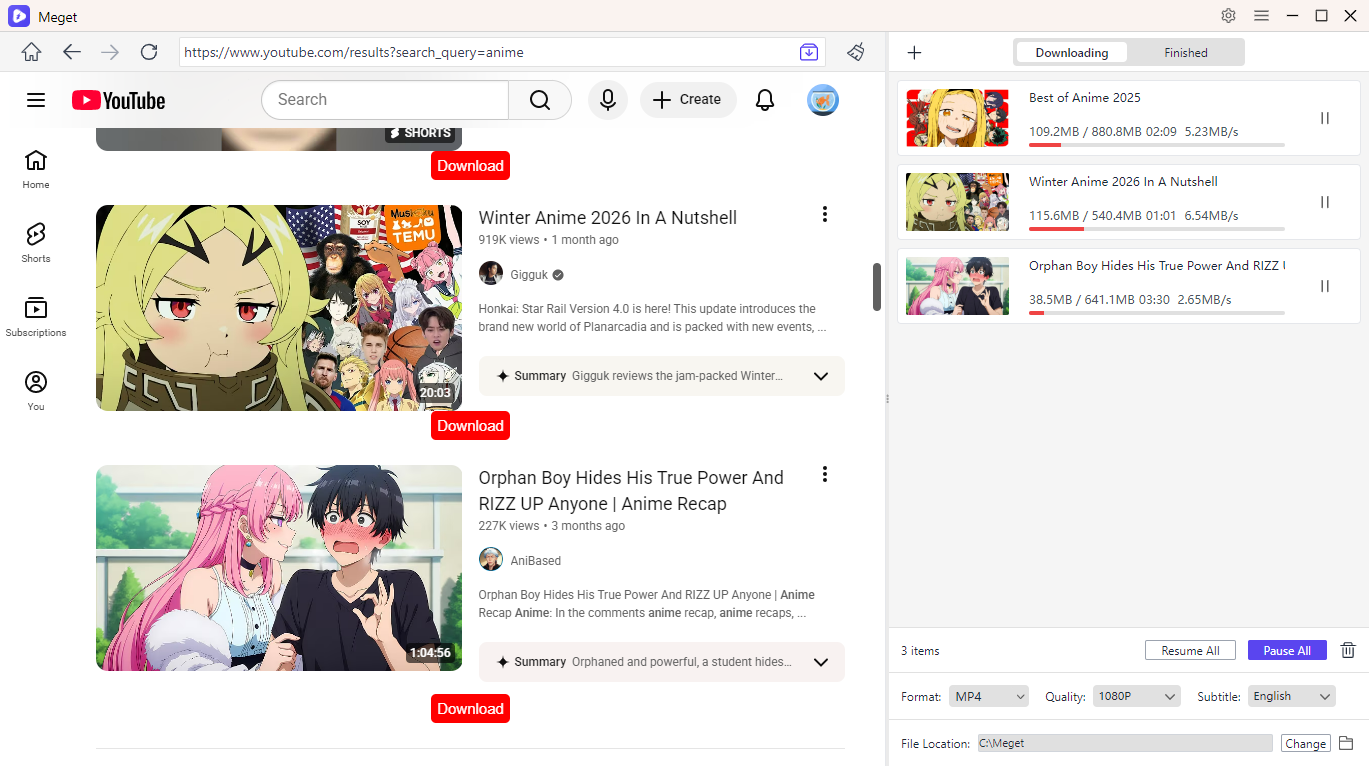
- Browse videos and minitor download process on the same interface for added convenience.
Main steps to use Meget:
- Download the Meget installer, and set it up on your Windows or Mac device.
- Open Meget, choose your preferred format (MP4, MP3, etc.) and resolution (SD, HD, or higher) on the interface.
- Use the built-in browser to navigate to the video you want, play the video inside Meget so the software can detect downloadable content.
- Click the download button to add the video to Meget’s download list. You can also download multiple videos at once using batch mode.
- After completion, find your videos under Meget’s “Finished” tab for offline viewing.
5. iFlyDown vs Meget: Quick Comparison
| 특징 | iFlyDown | 매우 |
|---|---|---|
| 플랫폼 지원 | Win/Mac/Android | Win/Mac/Android |
| 설치 | May fail | Stable |
| Download Success Rate | Inconsistent | 높은 |
| 일괄 다운로드 | ✅ Yes (Only for Pro Users) | ✅ 네 |
| 속도 | 보통의 | 빠른 |
| Trial Version | Very Limited | More Flexible |
| 가격 | 높은 | Better Value |
| Payment Transparency | Separate Domain | Clear |
6. 결론
iFlyDown Video Downloader offers a simple and cross-platform way to download videos, which may appeal to beginners or users with basic needs. However, its drawbacks – such as installation issues, limited trial access, high pricing, and unreliable video extraction – significantly impact the overall user experience.
For users who want a smoother, faster, and more dependable solution, Meget is clearly the better option. It not only resolves the common issues found in iFlyDown but also provides advanced features like batch downloading, higher success rates, and better performance, we strongly recommend 매우 instead of iFlyDown.