
Downloading online videos can be useful when you want to watch tutorials offline, save creative inspiration, or keep permitted media files for later. However, not every downloader offers the same features, video quality, or compatibility. Choosing the right tool depends on how often you download videos and how much control you need over the process.
SavePanda is a browser-based video downloader designed to make saving online content more convenient. It advertises support for multiple websites, HD and 4K downloads, audio extraction, and access without registration. But is SavePanda worth using in 2026, or would a dedicated application offer a better experience?
In this detailed SavePanda review, we will examine its main features, explain how to use it, discuss its advantages and disadvantages, and introduce an alternative for users who need a more comprehensive video downloading and conversion solution.
1. What Is SavePanda?
SavePanda.io is a free online video downloader that lets users download supported media through a web browser. Instead of installing a desktop application, users can visit the website, paste a video link, and follow the available download options.
Main Features of SavePanda:
- Support for 30 websites: Download supported content from platforms such as TikTok, YouTube, Instagram, Facebook, Reddit, X, Vimeo, Pinterest, and Snapchat.
- HD and 4K downloads: Choose from available video resolutions, potentially including 4K when the source supports it.
- Watermark-free downloads: Save supported videos without an added watermark.
- Free access without registration: Use the service without creating an account or purchasing a subscription.
- Audio extraction: Convert supported video content into MP3 or M4A audio files.
- Fast downloading: Uses optimized servers and fallback providers to help improve download availability and speed.
- Cross-device compatibility: Access the service through a browser on Windows, macOS, Android, iPhone, and other compatible devices.
- Batch downloading: Supports bulk downloads for TikTok and Facebook.
2. How to Use SavePanda to Download Videos?
Using SavePanda is easy and straightforward by following these steps:
- Navigate to the platform hosting the video you want to download, then copy the video or page URL.
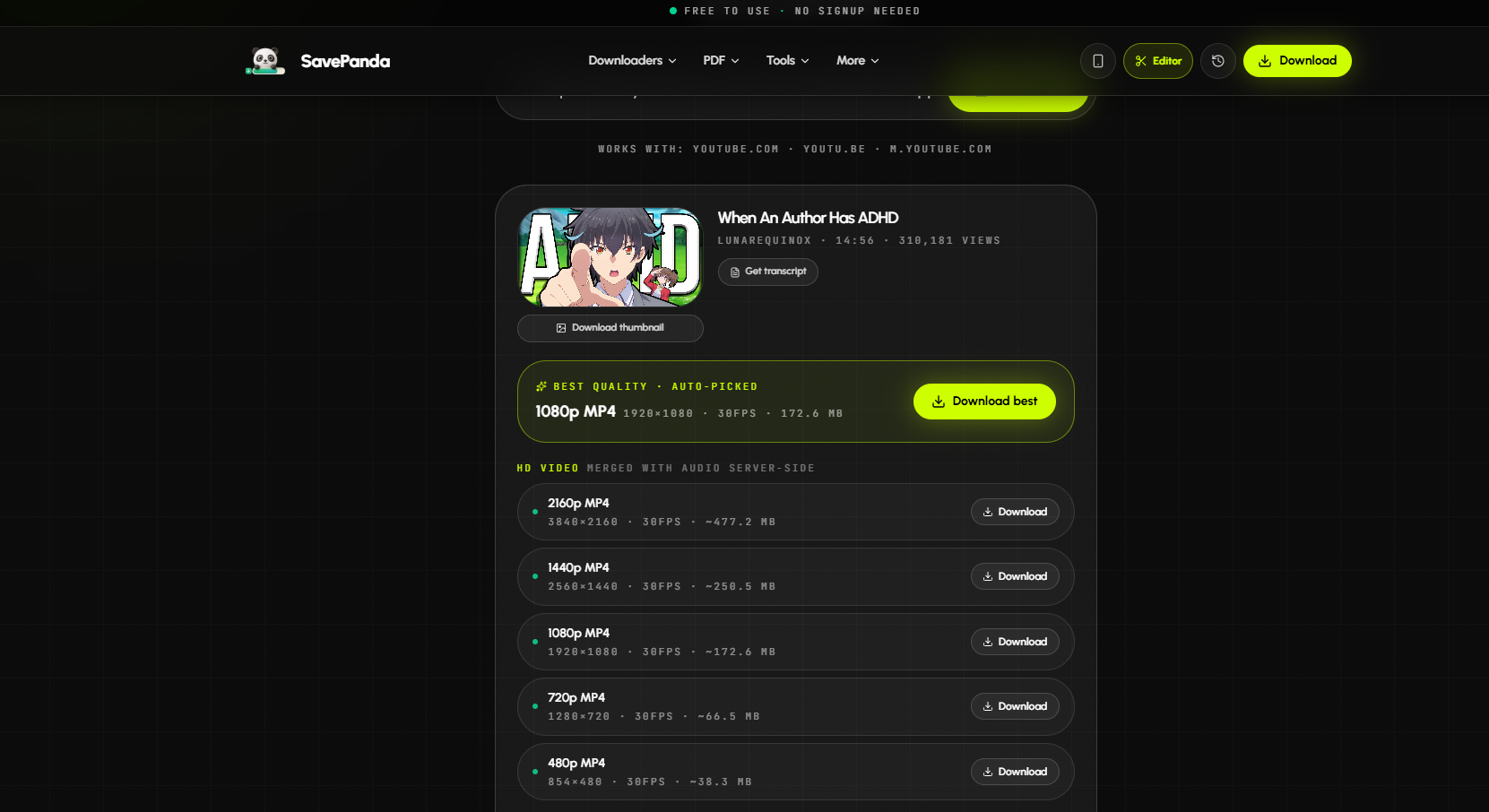
- Open SavePanda.io in your preferred web browser, paste the copied URL into the designated input field and click “Download”.

- SavePanda will detect the videos and provide available download options.
- Choose your preferred resolution or output format, then save the video to your device.
3. Pros and Cons of SavePanda
Before choosing SavePanda as your primary downloader, consider its main strengths and potential limitations.
장점:
- Free to use: No registration or subscription required.
- Wide compatibility: Supports 30 websites, including TikTok, YouTube, and Instagram.
- HD and 4K downloads: Offers high-resolution options when available.
- No installation required: Works directly in a web browser.
- Audio extraction: Converts supported videos to MP3 or M4A.
- Batch downloading: Supports bulk downloads from TikTok and Facebook.
단점:
- Variable compatibility: Some videos may not download successfully.
- Source-dependent quality: Resolution depends on the original video.
- Limited batch support: Bulk downloading is available only on a few selected platforms.
- Fewer advanced controls: May not suit users who need extensive conversion and download management features.
4. Try Meget Instead of SavePanda: A Professional Video Downloader and Converter
If you want more flexibility when downloading and managing online media, 매우 is an alternative worth exploring. Rather than relying exclusively on a browser-based service, Meget provides dedicated software designed for downloading and converting supported video and audio content.
Much의 주요 특징:
- Support downloading and converting videos/audio from 10,000+ websites.
- Process multiple video URLs and supported playlists to reduce repetitive work.
- Convert supported media into formats such as MP4, MP3, AVI, MOV, and WAV.
- Choose available video quality options, including HD and 4K.
- Built-in browser to access private and embedded videos.
- Preserve subtitles and relevant metadata when supported.
How to Download Videos with Meget instead of SavePanda:
- Visit Meget.io and download the version compatible with your operating system, then install and launch the program.
- Go to Settings to select your preferred format, video quality, destination folder and more download options.
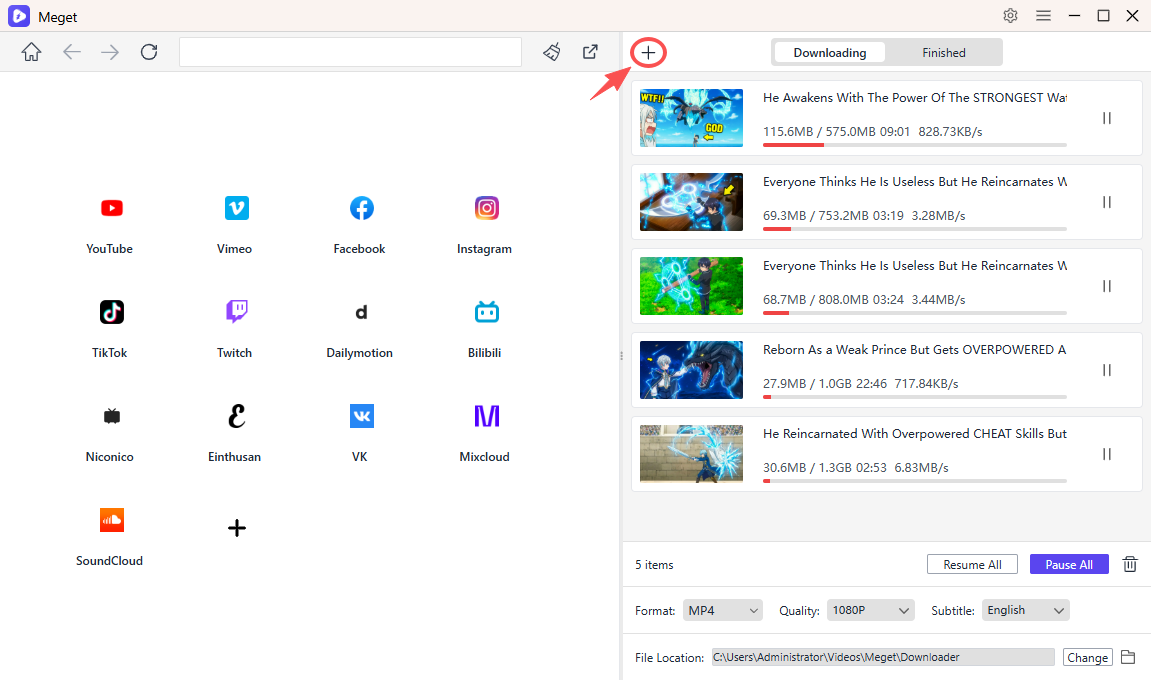
- Open and play the video you want to download using Meget’s built-in browser, then click the Download button, then repeat the process for more videos
- You can also collect all the videos links and paste them into Meget to start downloads.
- Monitor the tasks on the software interface and find all the downloaded files under the “Finished” tan when Meget complete the conversions.
5. 결론
SavePanda is a convenient, free online video downloader that supports multiple websites, HD and 4K downloads, and audio extraction without requiring software installation. It is a good choice for users who want a simple way to save supported videos for offline viewing. However, its compatibility and batch downloading capabilities may not meet everyone’s needs.
For users looking for a more comprehensive solution, Meget is our recommended alternative. With support for multiple output formats, batch downloading, high-resolution options, and convenient download management, it offers greater flexibility for downloading and converting media. Whether you want to save educational videos, organize personal media, or convert videos into audio files, 매우 is worth considering.